GUEST LIST & QR CHECK-IN
Your event, your rules. Your phone, your check-in desk.
Manage invites, approve who gets in, and check everyone in — paid and guest list — from one screen.
Get Started Free →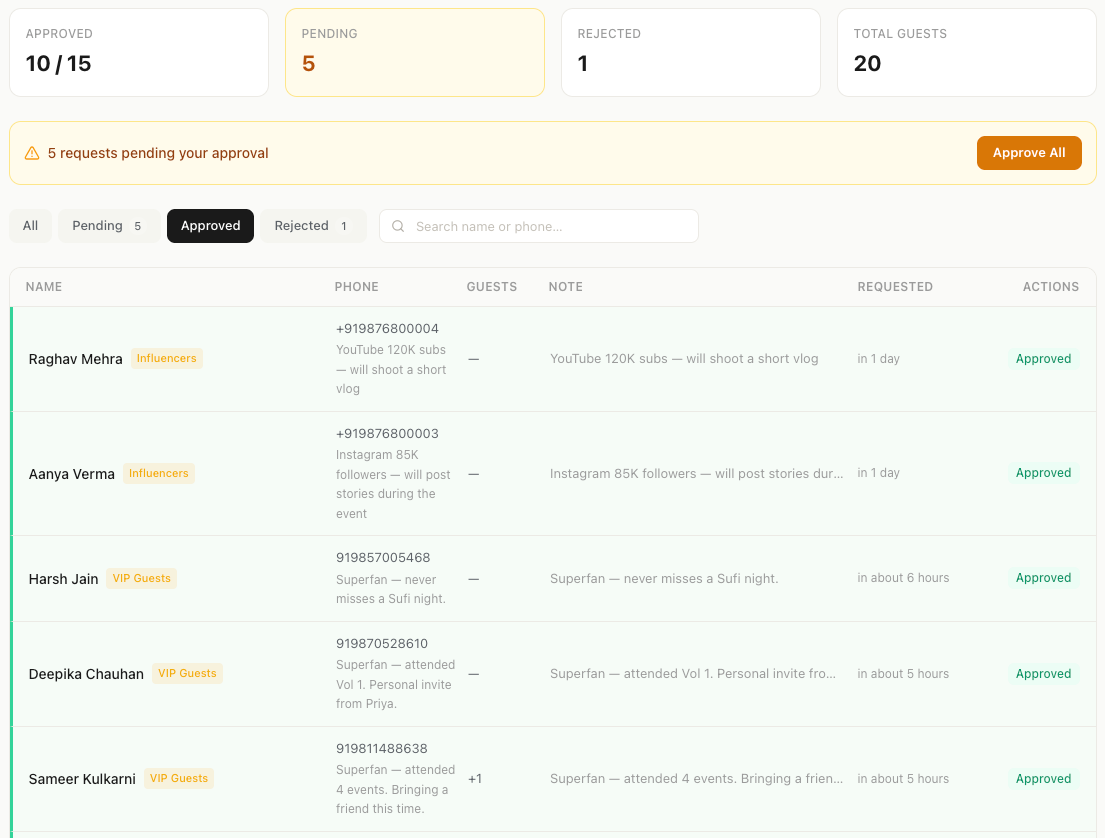
Right now, managing the door looks like this:
WITH REDLEMON
One system. Zero chaos.
Share an invite link → guests request entry → approve from your phone → they get QR codes → scan at door → every name captured. Works alongside paid tickets on the same event.
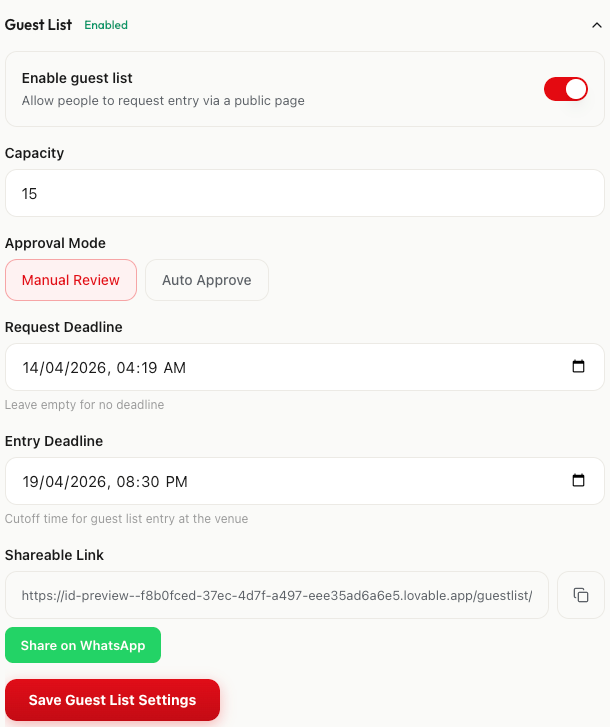
Toggle on. Set capacity. Share the link.
Choose Manual Review or Auto Approve. Set a request deadline and entry cutoff time. Share the invite link on WhatsApp, Instagram DMs, email — anywhere. Anyone with the link can request entry.
See every request. Approve in one tap.
Each request shows name, phone number, a note from the guest, and category tags — Influencers, VIP Guests, and more. See approved, pending, and rejected counts at a glance. Approve individually or hit "Approve All" to let everyone in at once.
Point. Scan. 2 seconds. Done.
Same QR scanner for paid ticket holders and guest list entries. Open on your phone, point at any QR code. The app instantly confirms who they are, their ticket type, and marks them as checked in. Live counter shows progress — paid and guest list separated.
Walk-in? Capture every name.
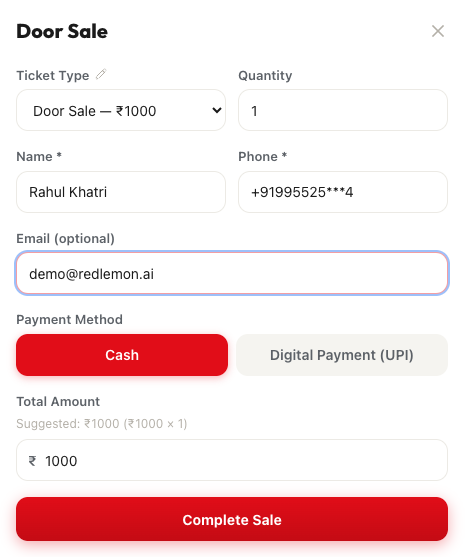
Quick Entry mode lets you add multiple people at the door — name, phone, ticket type. Every single walk-in becomes a contact in your audience database. Cash or own QR payments — no commission charged on door sales.
Paid tickets + guest list = one system
Sell 80 tickets publicly. Invite 20 VIPs via guest list. Check everyone in with the same scanner. One dashboard. Every name captured.
One feature, many ways to use it
However you run your events, the guest list adapts.
Ready to take control of your door?
Join indie planners across India who are using AI to fill seats, understand their audience, and build their reputation.
Get Started FreeNo credit card required. Set up in 5 minutes.